Did Logitech Give Employees GTA VI Launch Day Off?
Logitech announced a day off to play games and scheduled a Game Day stream for November 19, the same date GTA VI launches.
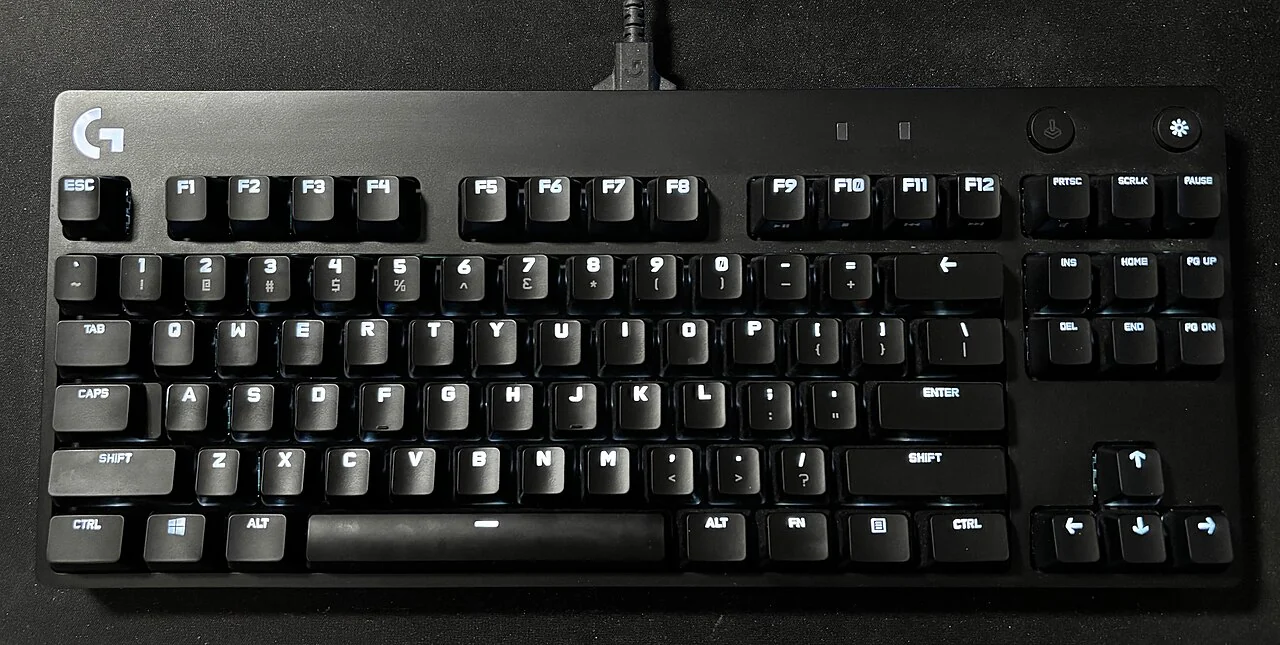
Did Logitech actually give employees GTA VI launch day off?
Logitech announced Logi Game Day as a dedicated day off for employees to play games. Logitech G scheduled a stream from the company's Americas headquarters in San Jose for November 19, 2026, the same date that GTA VI launches. That's the link between the two announcements. Logitech named GTA VI as one game employees might choose to play and also mentioned games from other franchises. The announcement described a company gaming day with a choice of games.
That distinction gets lost when the story is reduced to a headline. There are three separate facts: Logitech announced an employee day off for gaming, the company scheduled a public-facing event for November 19, and Rockstar set GTA VI's native console release for the same date. The overlap is why it is a GTA VI story. The source for the employee policy is Logitech's announcement. The source for what time you can actually play is Rockstar or Xbox, depending on how you plan to access the game.
What Logitech announced and what it meant
Logitech described the day as its first company-wide gaming day. The company presented it as an employee perk and an opportunity to recognize gaming as a shared activity. It attached that announcement to research it commissioned and framed the event as a chance to connect staff through play. Those are the company's reasons for offering it. You don't need to accept a productivity claim to understand the news: an employer gave employees time to play, and its gaming division planned a stream on a day when many players already had gaming plans.
The wording matters if someone asks what staff were actually told to play. Logitech's release included examples from GTA VI, racing and shooters. It left the choice open in the public announcement. If you share the news with a friend, say Logitech gave employees a gaming day and scheduled the stream for launch day. That keeps the interesting part and leaves the game choice where the company put it. A policy for Logitech employees also doesn't change time off at other companies or guarantee which employees will appear on a stream.
What the release actually tells you about the stream
Logitech's announcement identifies Logitech G as the gaming brand hosting the event and names San Jose as the venue for the planned stream. That is the part to look up if you mainly want to watch. Check the brand's current event information before setting a reminder, since the employee day announcement and a broadcast listing can serve different purposes. The release establishes the date. The relevant event page is where you would verify the broadcast time and viewing destination if those details change.
A stream may be interesting even if you don't own the game at launch. The launch date can still be a useful reference point for when to tune in and when to mute game-related recommendations. If you're trying to keep the story fresh, check the stream title or description for what is being shown before opening chat or scrolling clips. Open the broadcast listing directly if you want the event details.
Watch the Short
How to read the viral claim for yourself
Start with the first-party announcement, then separate policy, event and game release. Look at who is making each statement and whether it describes something happening on November 19 or a condition that applies to all employees. This is faster than comparing several reposts of the same headline. When you see a version that says everyone at Logitech has to spend the day on GTA VI, look for the company's actual language about what games people can choose. The examples answer that part of the story directly.
Check headline details against their own sources. An employment figure, a quotation about workplace benefits and a stream guest list are different claims. A company press release can document what the company announced and how it described the day. It doesn't establish how every employee spent the day. Before treating a short clip as proof of something broader, ask whether the clip shows the plan, the event itself or somebody's prediction. The difference is especially useful during a game launch when older footage and fresh news circulate together.
Our Short focuses on why the date caught players' attention. If you're checking a detail to repeat it, use the article's source links alongside the video. If you only want to know whether the viral claim has something real behind it, the November 10 announcement is the simplest place to verify it. Tell friends which part is confirmed by the company and which part is the reason players are sharing it.
What November 19 means for players
For an installed PS5 or Xbox Series X|S copy, Rockstar lists midnight local time on November 19. Xbox lists a separate cloud start of November 19 at 1 a.m. Eastern. The Logitech announcement doesn't change either of those schedules. If you have an Xbox One, plan around the cloud time and check whether Xbox's service, account and purchase requirements are met. If you have a Series console and preloaded the game locally, use the native release schedule for the store and region you use.
When a group chat is mixing PS5, Xbox Series and Xbox One, say the platform and time zone when you make plans. A simple message like "I'm on Xbox One and checking the cloud release" is more useful than "It's live at midnight." Someone in a different time zone or using a download can be ready at a different time. Check your own store or the official notice if a friend's timer doesn't line up with yours.
It is also normal for a digital preorder to be installed before it can open. Check the queue and the unlock time separately. If the download is still in progress, that's an installation task. If the files are installed but you're looking at a prerelease timer, that's launch timing. The guide links below show where to start on each console. You can make those checks before deciding when to sit down, join a call or put a stream on.
If you're making your own launch day plans
Start with the available time, not a list of everything you want to see. A player with an hour after work needs a different plan from somebody with a day off. If you have a small window, finish the setup work ahead of it: verify the account, let the install finish where applicable and make sure the controller is charged. Save one thing you want to try first. That can be as simple as adjusting controls or taking time to explore after the game lets you move freely.
If you're playing with friends in voice chat, agree on spoiler rules before anyone starts. One person may get through an early section first. Decide what can be discussed live and which screenshots will go into a separate channel. If a friend is waiting on the cloud release or has a slow download, giving them a specific start time is more helpful than sending them a stream that might show story details. These are small choices that leave everyone more room to play when their copy is ready.
For a longer session, plan one pause after your first stretch. Note the controls or settings you want to revisit, which route looked interesting and where you stopped. You don't need to turn it into homework. A line or two makes the next session easier to pick up. The free planner is useful if you want one place for those notes and want to keep the visible description spoiler-light. The launch checklist covers the setup work first.
What to check if you only have one evening
Open the console library and confirm ownership before that evening. Check the queue if you're on a supported native console. If you plan to stream, test another supported cloud title on the same device and in the same room you plan to use. Read the official release notice and put the correct time on your calendar. Keep any confirmation email or error code private and at hand in case you need support. This makes a better evening plan than relying on a rumor that a game or server will open early.
The point of the Logitech story is that people are making space to play. You can do the same with whatever time you have. Check release timing, decide how you'll access the game and choose one thing to do when you get in. If the stream interests you, check Logitech G's official event information separately. Then use our launch checklist to finish preparing your actual setup before November 19.
Source dates to keep straight
Logitech issued its announcement on November 10. The Logitech G stream was scheduled for November 19. If you are checking this story after those dates, keep the announcement's date attached to the claim. A new clip reposting the announcement might look like a report from the event itself. The original release is evidence of the plan, and a recording published by Logitech after the event would be the place to check what was actually streamed.
Use one source for each part of the story
If you save only three links, make them Logitech's employee announcement, Rockstar's native release schedule and Xbox's cloud launch notice. That is enough to check what the company said, when an installed game unlocks and when the Xbox One route opens. Use the first link if you're passing along the news. Use the other two if you're deciding when to play.
Related guides and tools
- Run the free GTA VI launch checklist
- Download the free First Session Planner
- Check your preload on PS5 or Xbox